Add and manage grid connections
★ PreviewIn the Grid connections tab, you group meters that belong to the same connection.
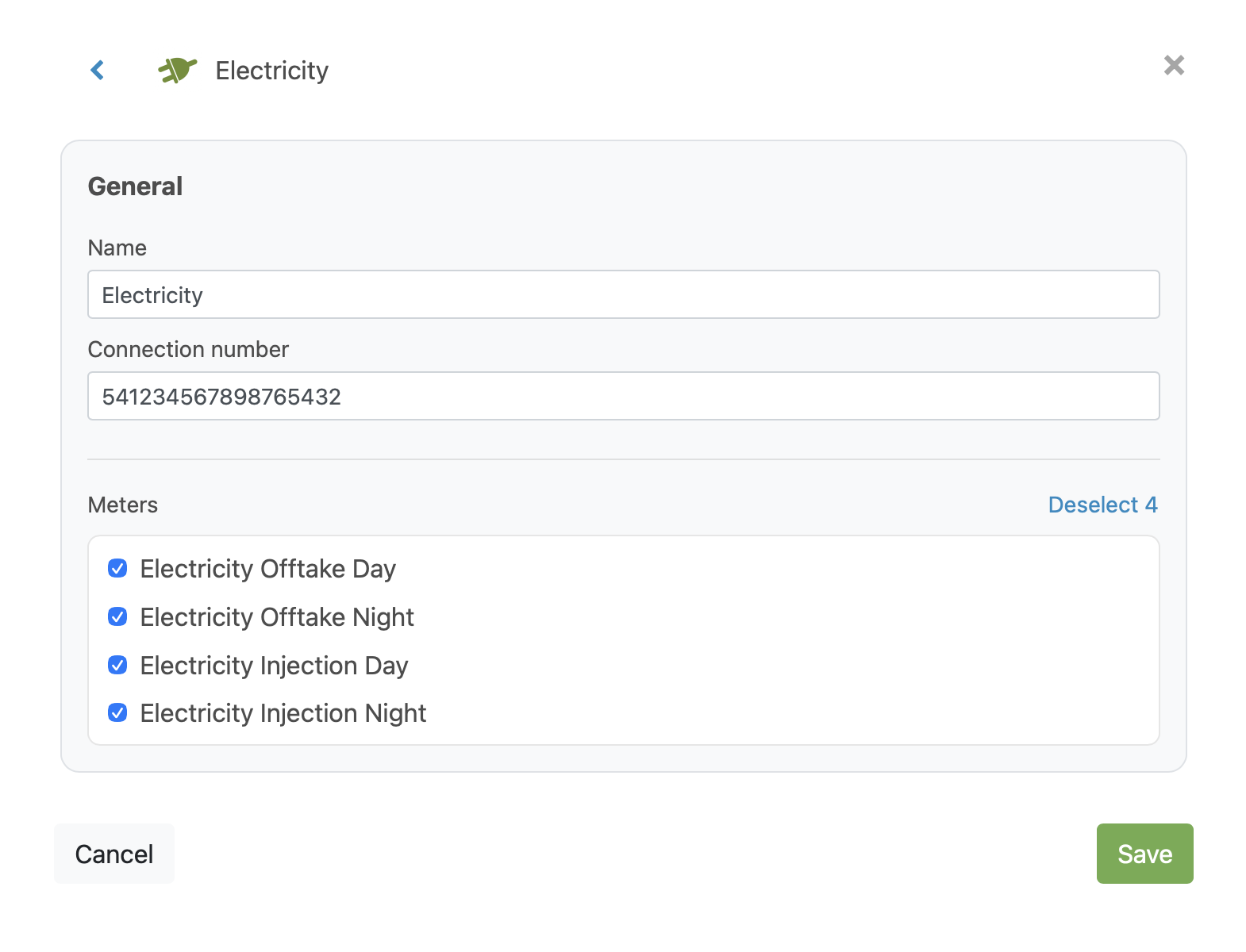
A typical electricity connection contains, for example, four meters: day offtake, night offtake, day feed-in and night feed-in. These belong together under the same connection number (for electricity and natural gas also known as the EAN number).
Because contracts are concluded at the connection level, this grouping is important for analyses and contract information in EnergyID: a record can have multiple contracts (for example, separate ones for gas and electricity), and even multiple connections of the same type. The cost analysis is a concrete example of this.
Grid connections are currently most relevant for specific analyses and Premium scenarios. You can already see this tab, even if you are not yet using all the associated features.
Add a grid connection manually
Follow these steps to add a grid connection yourself:
- Open your record and go to Building properties.
- Open the Grid connections tab.
- Click Add grid connection.
- Choose the type: Electricity, Natural gas, Water, Heat or Cold.
- Enter a name.
- Enter the connection number.
- Select one or more meters under Meter selection.
- Click Save.
What happens automatically (autodiscovery)
For many records, EnergyID adds grid connections automatically.
You can still make changes to automatically added grid connections afterwards:
- edit them,
- delete them,
- supplement them with additional grid connections.
If you have EnergyID Premium through a provider that makes contract information available, EnergyID can also automatically link contract information to a grid connection.
Current limitations
At this time, there are still some limitations:
- You cannot yet manually link contract information to a grid connection.
- Grid connections are currently only used in certain analyses that are only visible to customers of specific Premium providers.
It is therefore possible that you can already see the Grid connections tab, but that it does not yet provide a directly visible benefit in your record. This is temporary.
What can you do?
- Check whether the automatically detected grid connections are correct.
- Manually add any missing grid connections.
- Remove incorrect grid connections to keep your record tidy.
This way, your record is already prepared for analyses and insights that use grid connections, such as the cost analysis.