Simulate solar panels or a home battery (quick scan)
✓ EnergyID Premium ★ PreviewThis feature is in preview. It is only available to participants in the preview programme.
With the quick scan, you discover what solar panels or a home battery can yield for your home or building. EnergyID calculates the effect based on your measured consumption of the past year and the installation details you enter.
The quick scan is available for records that are linked to an organisation offering this service, such as your energy supplier or energy cooperative.
Who is the quick scan for?
- You are considering solar panels or a home battery. If you already have solar panels, you see what a battery would add.
- Preferably, you already have quotes from a few installers, so you can enter and compare their data.
- The quick scan is not meant to show what your existing solar panels or battery already yield.
Opening the quick scan
- Open your record.
- Go to Analyses in the menu.
- Click Quick scan solar panels and home battery.
What do you need?
- A digital meter with your offtake per quarter hour, over at least 12 full months.
- If you already have solar panels, also your injection per quarter hour over the same period. Without injection data, you can still simulate extra solar panels, but not a home battery.
- Do you have a production meter on your solar panels? Then connect it too. That way, the quick scan knows how much solar power you already use yourself.
At the top of the simulation, you see for each kind of data whether it is in order. Click it for more explanation. Missing data is never estimated.
Create a simulation
- Click Get started, or Create simulation if you already have a simulation.
- If your record has more than one electricity connection, choose the right Grid connection at the top.
- Click + next to Solar panels or Battery, fill in the details and click Add to simulation. You can also add both.
- Change the name of the simulation if you like and click Calculate.
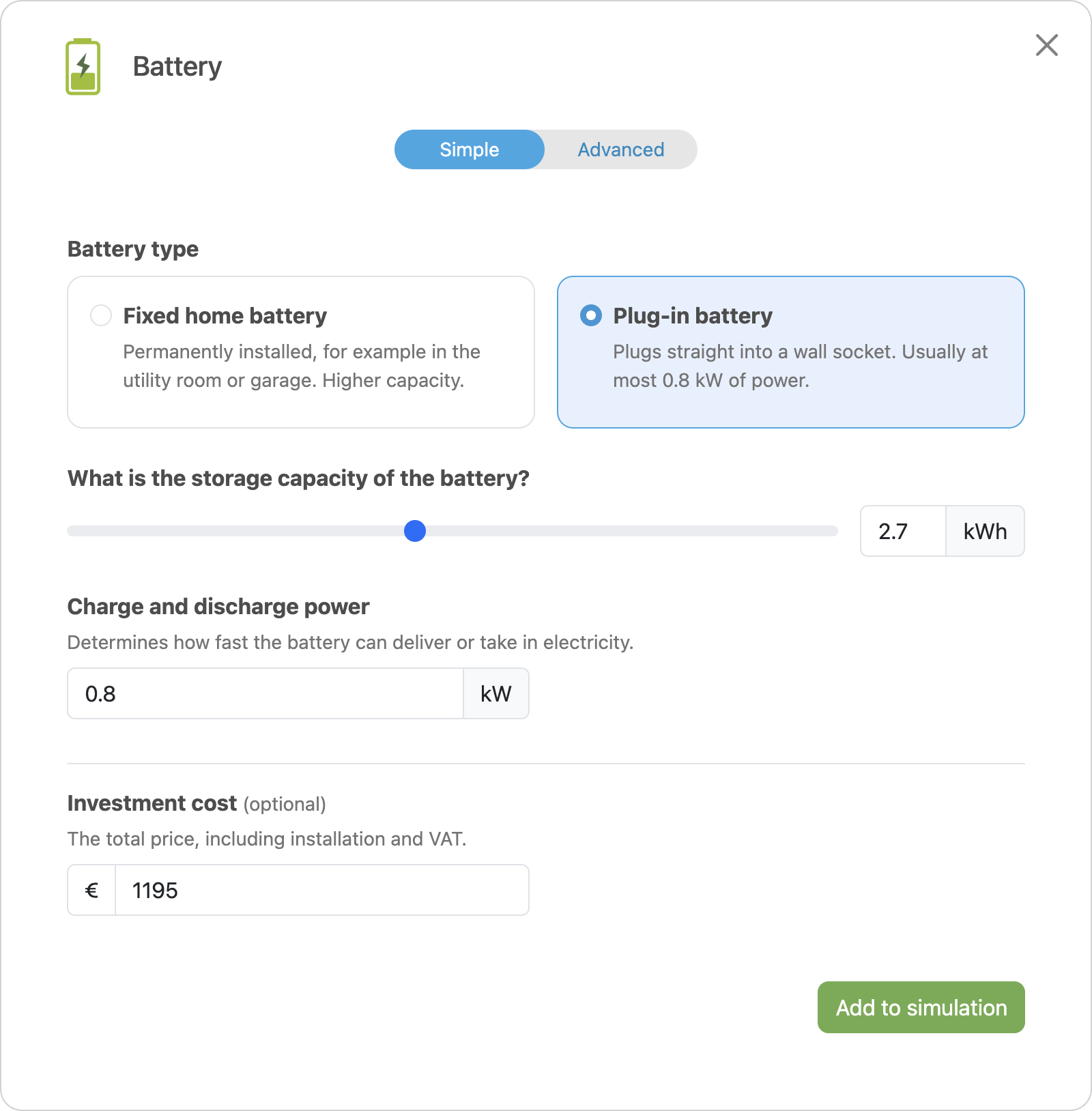
In Simple mode, you only fill in the essentials:
- Solar panels: the number of panels and their power. The quick scan assumes a south orientation and a tilt of 35°.
- Battery: a fixed home battery or a plug-in battery, the storage capacity and the charge and discharge power.
In Advanced, you also set the orientation, tilt and inverter power, with several roof sections if your panels face different directions. You can also change the degradation, lifetime and efficiency there.
Also fill in the investment cost, including installation and VAT. Then the quick scan calculates the payback time.
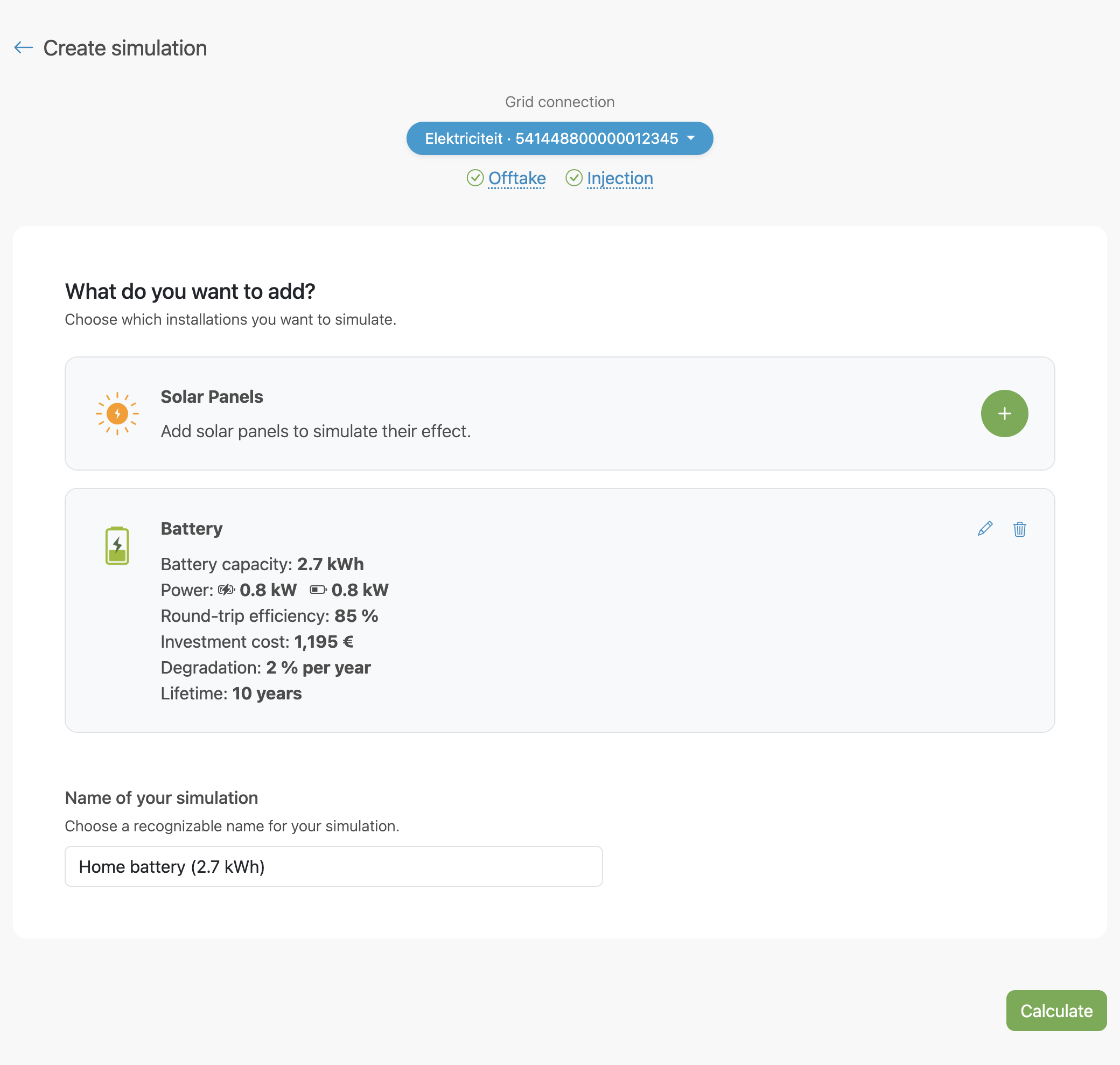
Your simulations are saved. Feel free to make several, for example one per quote.
What do you see in the result?
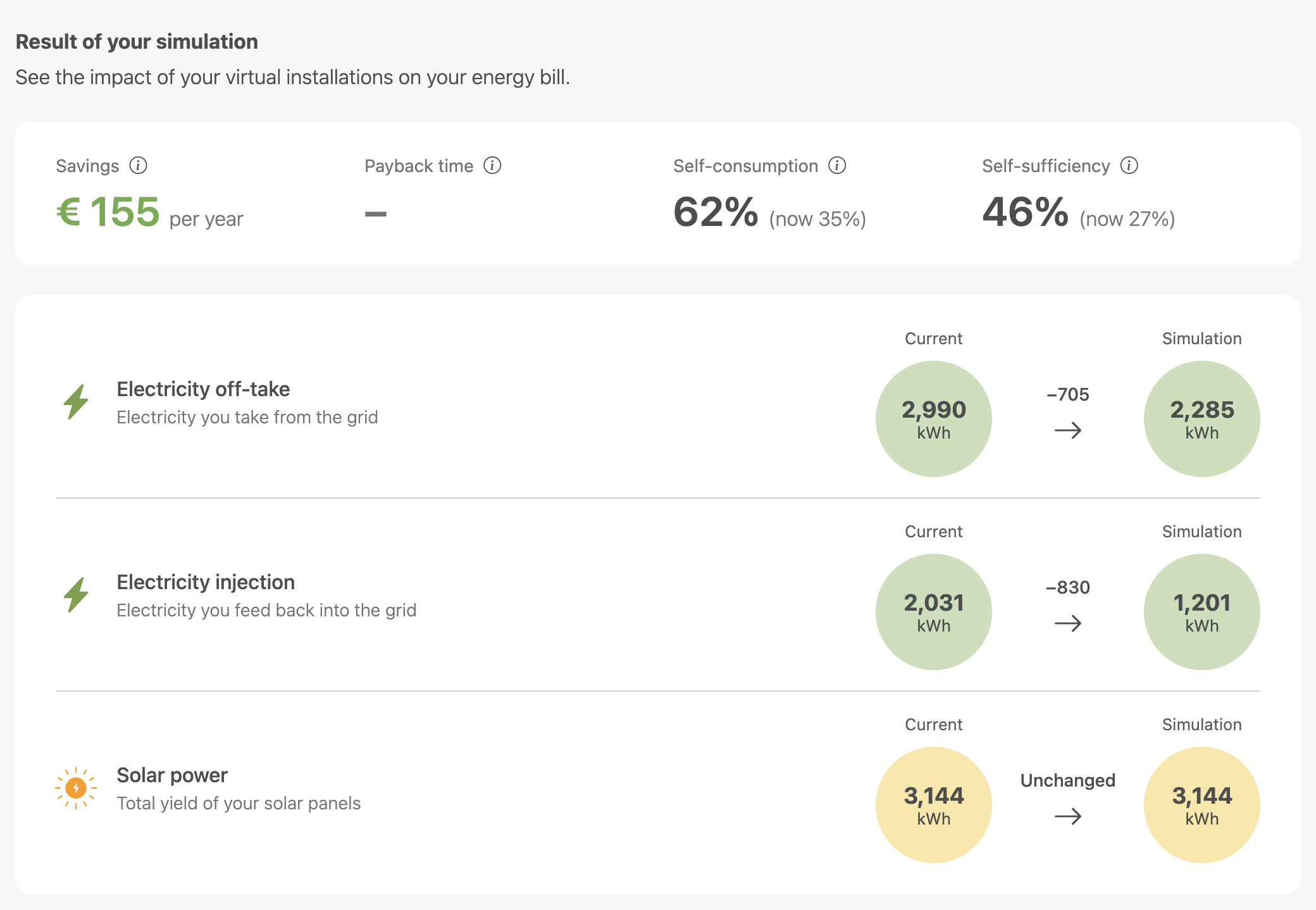
- Savings: how much your energy bill drops per year.
- Payback time: after how many years you earn back the investment. Installations perform a little less every year; the quick scan takes that into account. It calculates up to the end of the shortest lifetime of your installations.
- Self-consumption: the share of your solar power that you use yourself right away or store in the battery.
- Self-sufficiency: the share of your consumption that you cover with your own solar power.
Below that, you see your offtake, injection and solar power, each now and in the simulation.
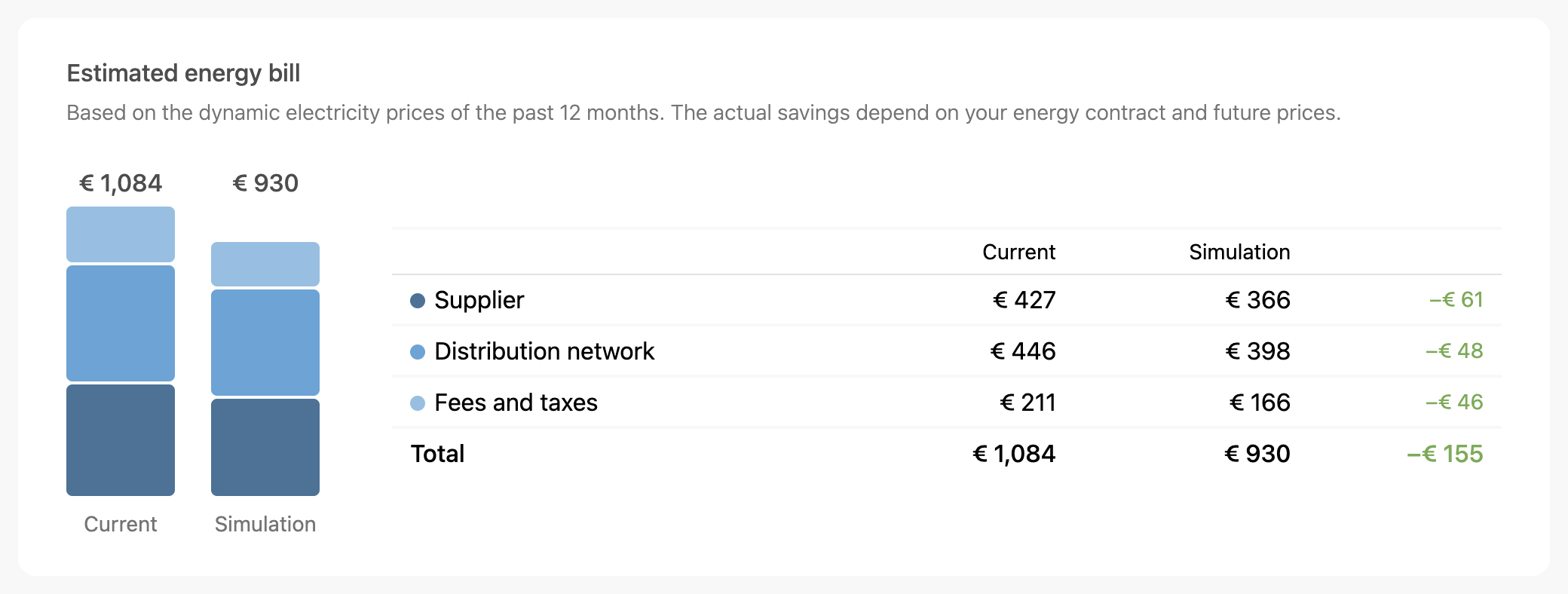
The estimated energy bill compares your current bill with the one in the simulation. It is split into supplier, distribution network, and fees and taxes.
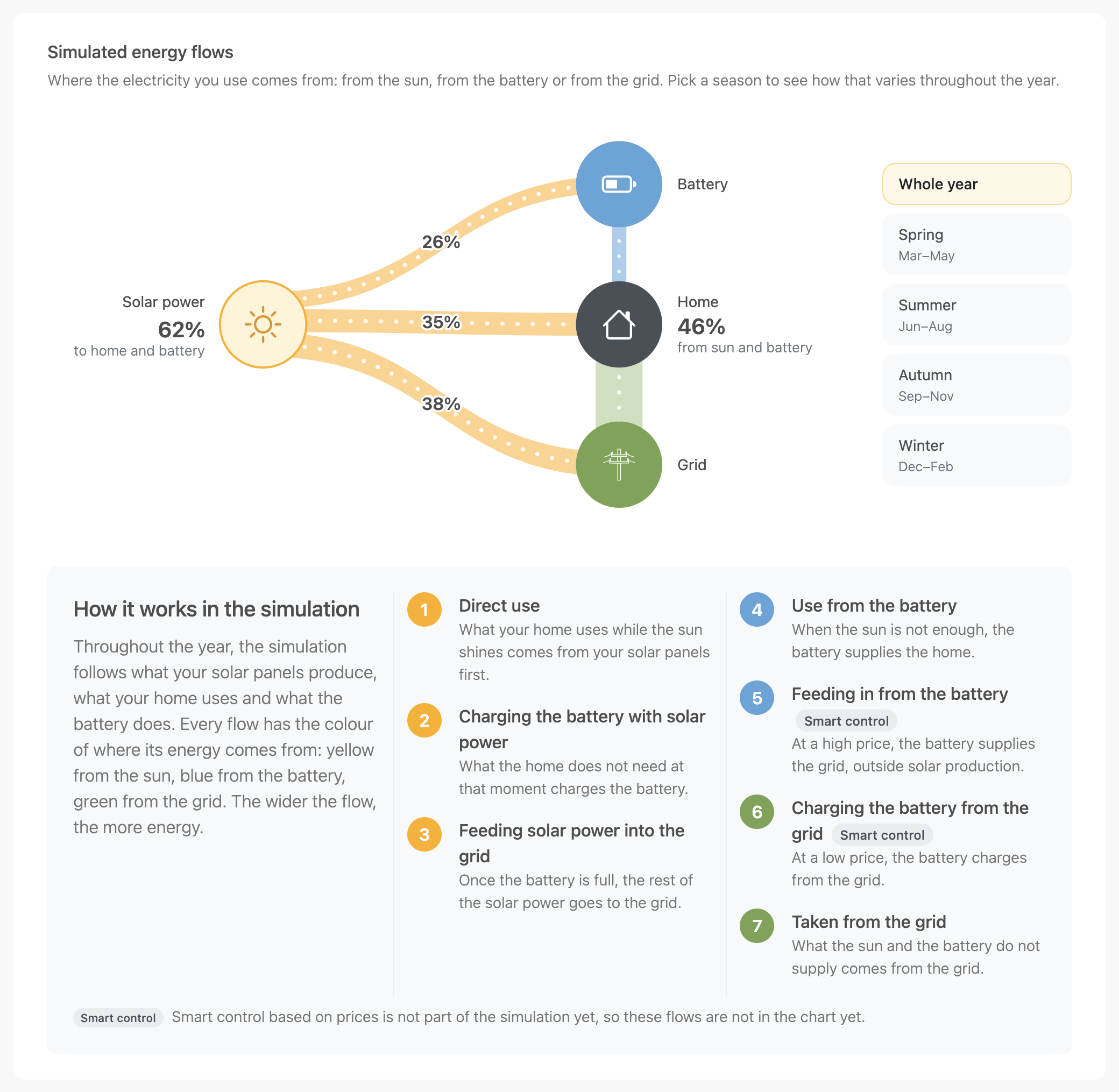
The simulated energy flows show where the electricity you use comes from: from the sun, from the battery or from the grid. Choose a season to see how that changes throughout the year.
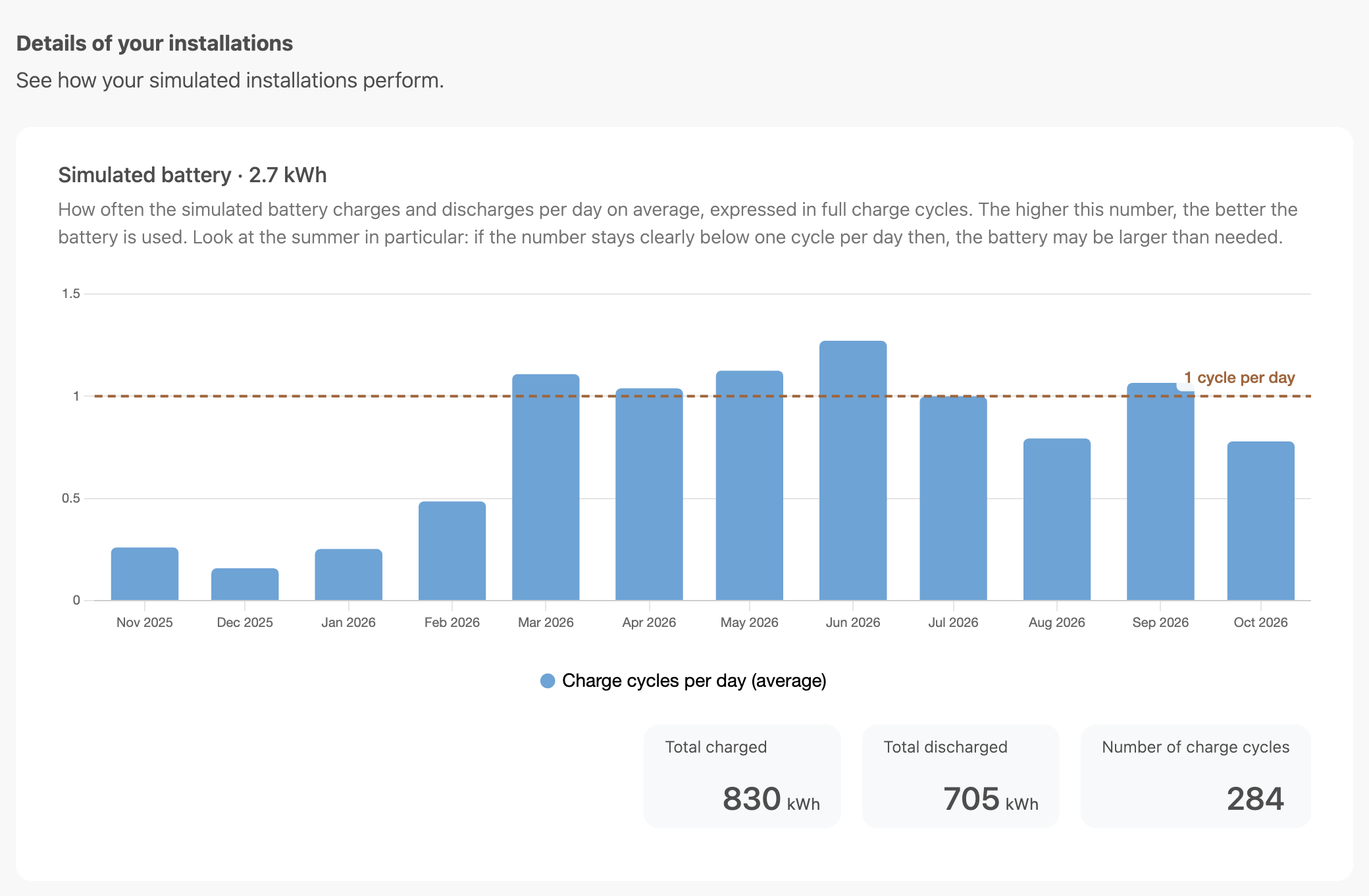
Under Details of your installations, you see how much the simulated solar panels generate per month, and how often the battery charges and discharges per day. If that stays clearly below one cycle per day in summer, the battery is probably larger than needed.
Why can the result differ?
The quick scan is an indicative estimate:
- Weather: solar production is calculated with the weather of a typical year, not the actual weather.
- Prices: costs are calculated with the dynamic electricity prices of the past 12 months. Future prices and your own contract may be different.
- Battery use: the battery is only used to increase your self-consumption. Smart control based on prices is not in the simulation yet.
- Existing battery: a battery you already have is only included indirectly, through your offtake and injection.