Share data and charts with your customers and members
✓ EnergyID for BusinessWith shared data and charts, you decide which additional data your customers and members can see in their EnergyID dashboards, such as your own tariffs or the production of a shared installation. In your workspace, this feature is called Shared time series.
Available from the Standard subscription.
What can you share?
- Your own tariffs, for example a dynamic tariff.
- Production of shared installations, such as a wind turbine or shared solar panels.
- Other time series that your data source offers.
Which data do you share?
You choose which data you make available and under which name your customers and members see it. In your workspace, go to Configuration and click Shared time series. If the feature is not yet active, click Activate.
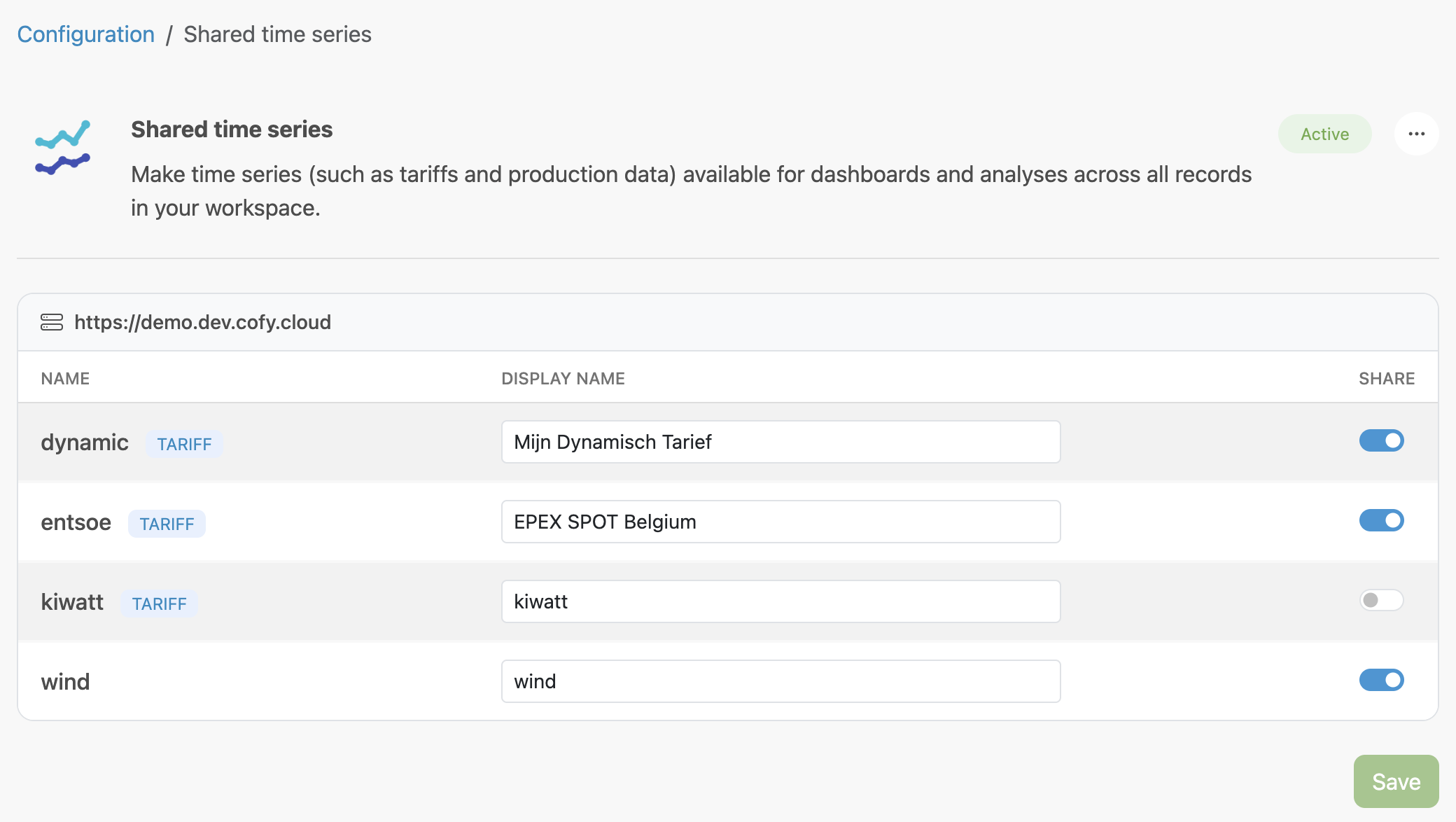
- Under Display name, enter the name your customers or members will see, for example "Dynamic tariff" or "Wind turbine production".
- Turn on Share for each series you want to make available.
- Click Save.
How do they appear in dashboards?
Your customers and members add the shared data as a chart to a dashboard. In a tile with a chart, they choose Tariff or Other under Add time series.
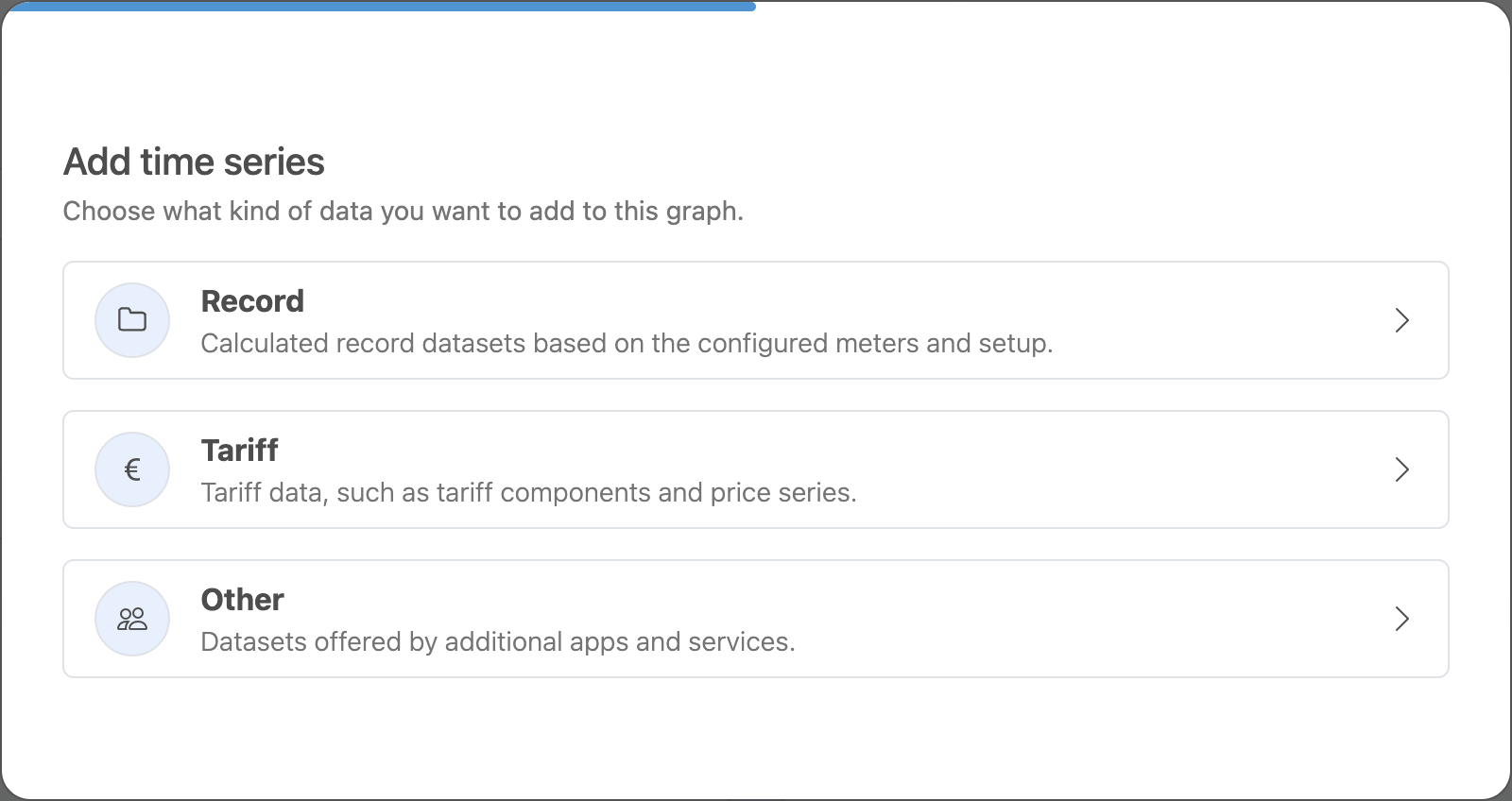
The list shows the name of your workspace before the series. For external records, it is the name of the service provider, as set in External records.
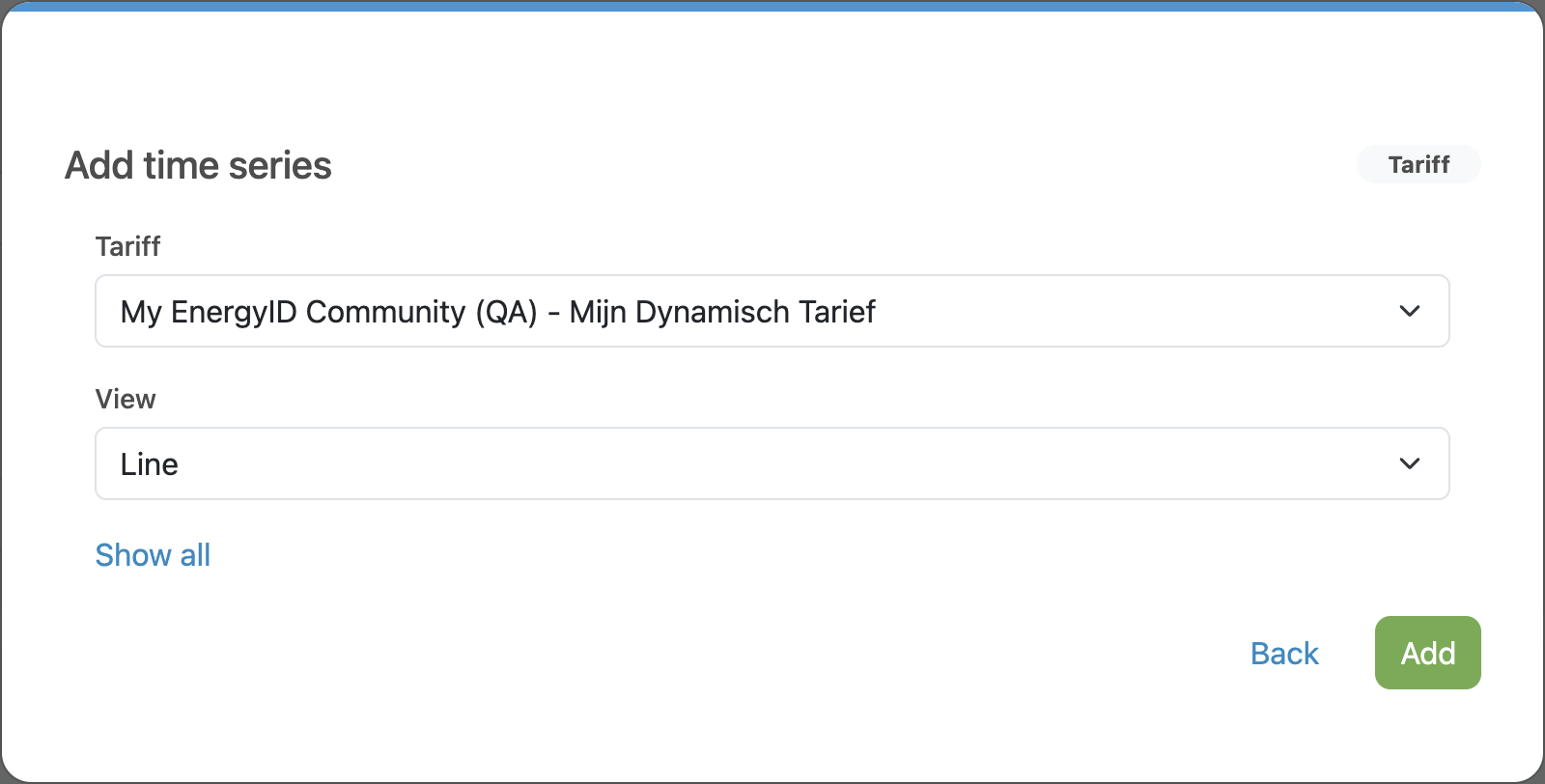
Do you want the charts to appear in the records right away? Then include them in a dashboard template. Set up dashboard templates →
What do you need?
The data comes from a data source linked to your workspace. Currently, that is a COFY back office with a module of the type Tariffs or Production. Connect your COFY back office →
Don’t see any series in the configuration? Then no COFY back office is linked yet, or it does not offer a module of the type Tariffs or Production yet.